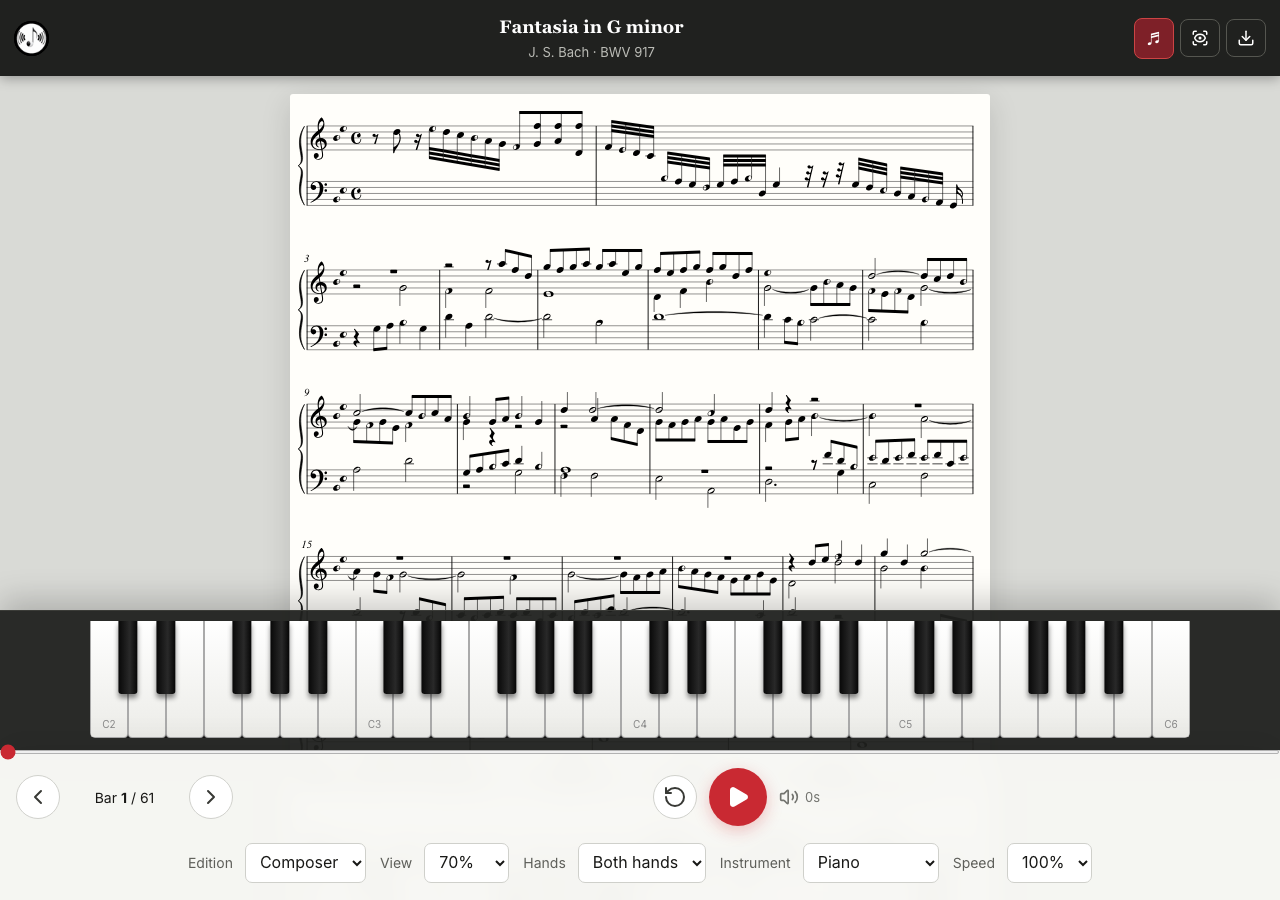
iCanPiano Style
F sharp: right half black. Play the black key to the right of F. B flat: left half black. Play the black key to the left of B.
What you see is what you play.
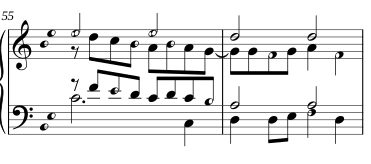
iCanPiano Style replaces sharp and flat signs with notes that are half black and half white.
They show the piece's black keys visually, inside the notes themselves. The result: fewer mistakes, faster reading and, above all, the joy of reading music.
It isn't more practice. It's a trick. Most players feel the difference within two lines.
The two-line test
Read these bars by J. S. Bach in standard notation. Then switch to iCanPiano Style and read them again.
Notice where your eyes stop in standard notation: every sharp, flat and key signature.
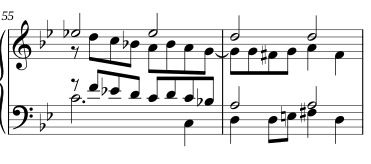
How it works
F sharp: right half black. Play the black key to the right of F. B flat: left half black. Play the black key to the left of B.
No sharps, flats or naturals before the notes, and no key signature to keep in your head.
Less to decode in every note leaves your eyes free for both staves.
You know black key or white key before you even name the note.
Same key, same layout, same notes. Only the noteheads change.
Standard notation makes you work out every note: is it in the key signature? Did an accidental change it earlier in the bar? iCanPiano puts the answer in the note itself. That is why the improvement is almost immediate.
More than 280 pieces in iCanPiano Style, from Bach and Mozart to Chopin, Schumann and Tchaikovsky.
Hear the piece, follow the red line, watch the keys light up, slow down, or practise one hand at a time.